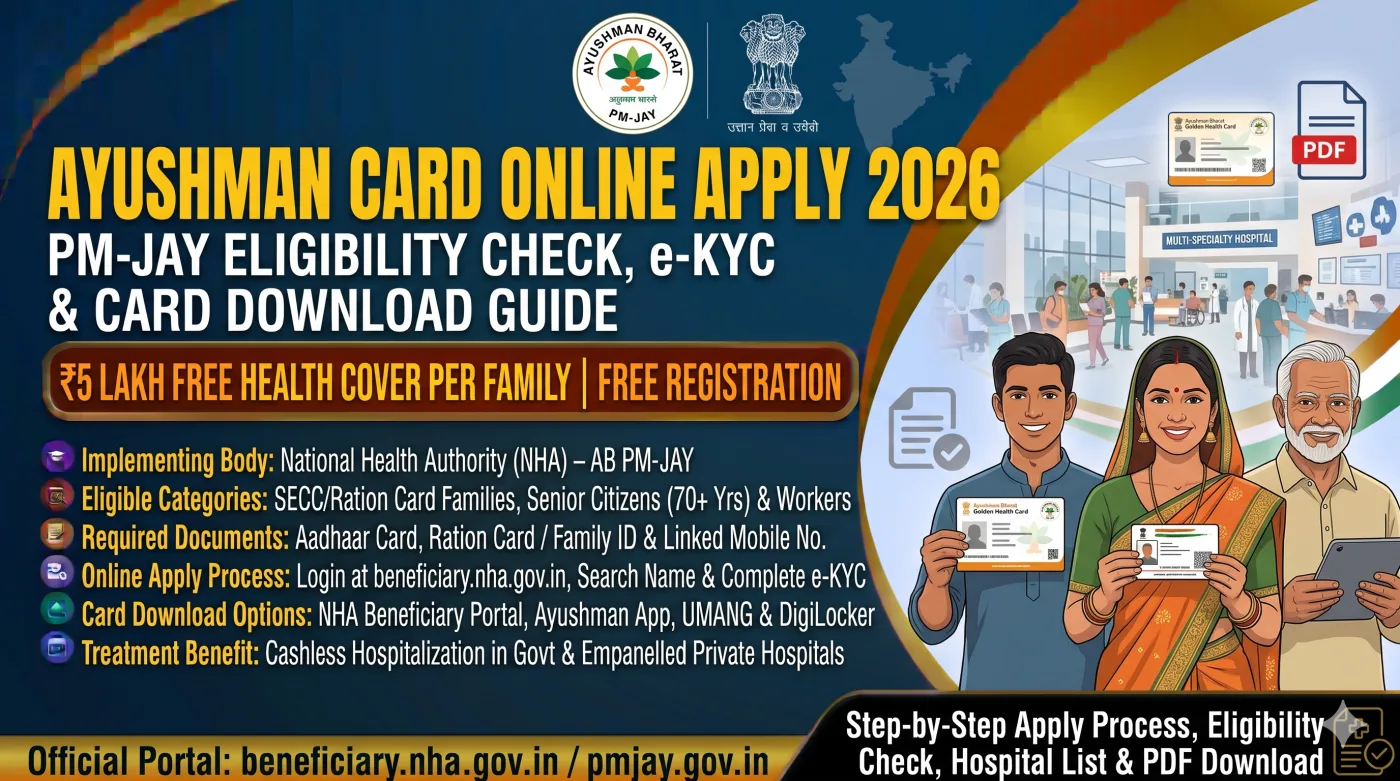
The Ayushman card (आयुष्मान कार्ड) is the e-card that lets an eligible family use the ₹5 lakh yearly cover of Ayushman Bharat Pradhan Mantri Jan Arogya Yojana (AB PM-JAY). For Ayushman Card Online Apply 2026 there is no form and no last date. If your family is on the scheme list, you verify yourself with Aadhaar e-KYC on beneficiary.nha.gov.in, the Ayushman App, a CSC or a hospital help desk. After State Health Agency approval, you download the card.
Quick Summary (एक नज़र में)
| Point | Details |
|---|---|
| Scheme | Ayushman Bharat Pradhan Mantri Jan Arogya Yojana (AB PM-JAY) |
| Implemented by | National Health Authority (NHA), Ministry of Health and Family Welfare |
| Cover | Up to ₹5 lakh per family per year, cashless, for secondary and tertiary hospital care |
| Who gets it | Families listed under SECC 2011 criteria, ex-RSBY families, ASHA / Anganwadi families, and groups added by your state |
| Check eligibility | beneficiary.nha.gov.in → Login as Beneficiary → Mobile Number + Captcha → OTP |
| Make the card | Aadhaar e-KYC on the portal or the Ayushman App (Android), or at a CSC / empanelled hospital |
| Fee | No fee for self e-KYC and download online |
| Hospitals | Over 38,000 empanelled public and private hospitals (as on 31 August 2026) |
| Helpline | 14555 (toll-free) |
Who Is Eligible for an Ayushman Card
You cannot simply "apply" and join PM-JAY. Your family must already be in the beneficiary database. The card process only verifies that you are that person. According to the PIB backgrounder of 22 September 2026, families are identified from the Socio-Economic Caste Census (SECC) 2011, and families covered earlier under the Rashtriya Swasthya Bima Yojana (RSBY) are also included.
Rural families: any one of these six SECC deprivation criteria
| Code | Household condition (SECC 2011) |
|---|---|
| D1 | Only one room with kucha walls and kucha roof |
| D2 | No adult member between 16 and 59 years of age |
| D3 | Female-headed household with no adult male member between 16 and 59 |
| D4 | A disabled member and no able-bodied adult member |
| D5 | Scheduled Caste / Scheduled Tribe household |
| D7 | Landless household earning a major part of its income from manual casual labour |
D6 is not on this list. A household is not covered just because it has no literate adult.
Urban families: 11 occupational categories
- Ragpicker
- Beggar
- Domestic worker
- Street vendor, cobbler, hawker or other service provider working on the street
- Construction worker, plumber, mason, labourer, painter, welder, security guard, coolie or other head-load worker
- Sweeper, sanitation worker or mali
- Home-based worker, artisan, handicrafts worker or tailor
- Transport worker, driver, conductor, helper to drivers and conductors, cart puller or rickshaw puller
- Shop worker, assistant, peon in a small establishment, helper, delivery assistant, attendant or waiter
- Electrician, mechanic, assembler or repair worker
- Washer-man or chowkidar
Families added after 2018
- Revised base and state data: In January 2022 the Centre raised the beneficiary base to 12 crore families. It also let States/UTs verify beneficiaries using other Aadhaar-verified databases of a similar socio-economic profile. Many states have widened coverage at their own cost using non-SECC sources, including the National Food Security Act (NFSA) ration card data and state datasets. So in your state the list may include ration card families who are not in SECC.
- ASHA, Anganwadi workers and helpers: About 37 lakh such families were added in 2024.
- Special groups named by PIB: Building and Other Construction Workers (BOCW) and their dependants, road accident victims under PM-RAHAT, transgender persons under SMILE, eligible children under PM CARES for Children, waste pickers and sanitation workers under NAMASTE, and PVTG families under PM-JANMAN.
- New states: The Ministry's year-end review (1 January 2026) says AB PM-JAY was extended to Delhi and Odisha in 2025 after MoUs with these states.
- Age 70 and above: Every citizen aged 70+ is covered regardless of income, through a separate card. See our Ayushman Vay Vandana Card 2026 guide for that process.
What the ₹5 Lakh Cover Pays For
| Feature | As officially stated |
|---|---|
| Amount | Up to ₹5 lakh per family per year |
| Type of care | Secondary and tertiary care hospitalisation (in-patient) |
| Procedures | 1,961 procedures across 27 medical specialties (Health Benefit Package) |
| Payment | Cashless at empanelled hospitals |
| Government hospitals | All government hospitals with in-patient services are deemed empanelled |
| At admission | Aadhaar authentication of the patient is done when services are availed |
The cover is a family floater. All members share the same ₹5 lakh in a year. OPD visits that do not need admission are not part of this cover.
Step 1: Check Eligibility ("Am I Eligible") on beneficiary.nha.gov.in
The "Check Your Eligibility" button on the official PM-JAY grievance portal (CGRMS) now leads to the NHA Beneficiary Portal, so start there.
- Open beneficiary.nha.gov.in. Under "Login as", keep Beneficiary selected. The other option, "Operator", is for CSC and hospital staff.
- Type the Captcha and your Mobile Number, then click Verify. Enter the OTP sent to that number.
- Select the scheme (PMJAY) and your State. Then search your family using one of the options the portal shows: Aadhaar number, Family ID / Ration Card number, PM-JAY ID, or name with location details (district, rural/urban, block or town, village or ward).
- If your family appears in the result list, you are eligible. Each member's card status is shown as approved, pending or not yet created.
- If nothing appears, try another search option before you give up. Names in SECC 2011 may be spelt differently from your Aadhaar, so also try the Family ID / Ration Card or Aadhaar search.
Ayushman Card Online Apply 2026: Create and Download the Card on beneficiary.nha.gov.in
Once your name shows up, the same login is used to create the card. NHA lists four self-service features on the portal home page: Link Aadhaar, Add Member, Redo e-KYC and Check Status.
- In the search result, click the member whose card is not made yet. The portal asks for that member's Aadhaar Number / Virtual ID and consent for Aadhaar e-KYC.
- Complete Aadhaar OTP verification. The OTP goes to the mobile number registered with that member's Aadhaar, not the login mobile. On the Ayushman App and with operators, face authentication, iris and fingerprint are also available.
- Check the e-KYC details pulled from Aadhaar against the scheme record. The portal marks fields that differ between the two in red.
- Capture a live photo of the member when the portal asks. Fill any extra details it asks for, such as relation with the family head and mobile number, and submit.
- The request goes for approval. While it is waiting, the status shows as pending with the ISA or SHA (the State Health Agency's verification desk).
- When the status shows Approved, log in again and click Download Card. Save the PDF and keep a printout too.
- Repeat for every member. Each member needs his or her own e-KYC, and one Aadhaar can create only one card.
Tip: Do the e-KYC for the eldest and the most frequently ill members first. A card that is still pending can delay a planned admission.
Using the Ayushman App (Android)
NHA launched the Ayushman App on 13 September 2023 with a self-verification feature. PIB describes it as "4 simple steps" on any Android phone. Search "Ayushman App" on Google Play and check that the developer is shown as National Health Authority before installing. The steps on the app are the same as on the portal: log in with mobile OTP, search your family, do Aadhaar e-KYC (face authentication is supported), add the photo, submit, and download the card after approval.
PIB notes that any person can help a beneficiary create the card on the app. A son or a neighbour can operate the phone for an elderly parent, but the OTP or face authentication must be the parent's own.
Offline Option: CSC or Hospital Help Desk
- Common Service Centre (CSC): The VLE logs in as an operator and does the same e-KYC, using biometric devices if your Aadhaar OTP does not work. The AB PM-JAY Grievance Redressal Guidelines (December 2021) list "demanding extra money (above the approved cost of Rs. 30) for issuing Ayushman card" as a complaint you can file against a CSC.
- Empanelled hospital: Go to the PM-JAY help desk, where a Pradhan Mantri Arogya Mitra (PMAM) helps patients verify themselves and get the card. This is the fastest route if someone is already admitted.
- Unidentified records: If the portal shows "For Unidentified users, you cannot authenticate via beneficiary login", only an operator can verify you. Go to a CSC or a hospital help desk.
Documents to Keep Ready
- Aadhaar card of every member who needs a card, with the mobile number linked to that Aadhaar active (for OTP)
- Ration card / Family ID number, which helps you find your family record
- Your PM-JAY ID, if you already know it
- Any working mobile number for portal login
- At a CSC or hospital, the member must be present in person for biometric or face authentication and the live photo
Eligibility comes from the scheme database, and the card itself is made through Aadhaar e-KYC. If anyone asks you to buy a form or pay to get your name added to the list, do not pay. Call 14555 instead.
Portal Error Messages and What They Mean
| Message on the portal | What to do |
|---|---|
| "Aadhaar is already used to generate card. Only one card can be generated for a given Aadhaar Number" | A card already exists on this Aadhaar, possibly in another family record. Use Check Status. If it was linked to the wrong family, register a grievance on CGRMS ("card issued to another family"). |
| "Entered Aadhaar doesn't match with the Aadhaar in the Source Data" | The member record already has a different Aadhaar seeded. Check that you selected the right member. Otherwise contact the district PM-JAY office through 14555. |
| "Due to OTP flooding, please wait for 3 minutes" | Too many OTP requests. Wait 3 minutes before you click Resend OTP. |
| "Biometric data does not match with Aadhaar data" | Fingerprint failed at the CSC or hospital. Try iris or face authentication, or update biometrics at an Aadhaar centre. |
| "Photo is not available. Please Redo-eKYC and try again to download card" | Use the Redo e-KYC feature to capture the photo again, then download. |
| Status stuck as pending at SHA / ISA | The record is with the state verifier. Approval checks whether the name, gender and year of birth in Aadhaar match the scheme record. A big mismatch, such as a different gender, can lead to rejection. |
| Family not found in any search | Your family may not be on the SECC/state list. Ask the district PM-JAY office or 14555 whether your state's expanded list (for example, NFSA ration card families) covers you. |
How to Find an Empanelled Hospital Near You
- Open the official hospital search at hem.nha.gov.in/search. The beneficiary portal's "Find Empanelled Hospital / सूचीबद्ध अस्पताल खोजें" button leads to the same search.
- Search By Pin Code, By District or By Facility Name, or use Advanced Search.
- Use the filters for Government, Private and NABH-accredited hospitals. Each result shows the facility ID, address, contact number and specialities as short codes.
- Check the specialities before you travel. A hospital that shows only "MG" (general medicine) may not do the surgery you need.
- Avoid facilities listed under De-Empanelled, Suspended or Blacklisted. These hospitals cannot treat you under PM-JAY.
Helpline 14555 and Complaints (शिकायत)
Call the toll-free PM-JAY helpline 14555 for card status, eligibility doubts or treatment denial. To file a written complaint, use the Central Grievance Redressal Management System (CGRMS). It gives you a registration number to track the complaint.
Under the official guidelines, a complaint first goes to the District Grievance Nodal Officer. If it is not resolved within 15 days, it goes to the District Grievance Redressal Committee, then to state level. Empanelled hospitals cannot refuse treatment to an eligible beneficiary. If a hospital or CSC asks you for money for card approval or for a covered treatment, report it.
For other central schemes for the same families, such as housing, see our PM Awas Yojana 2026 guide, or browse all Central Government Schemes.
Source: NHA Beneficiary Portal (beneficiary.nha.gov.in), NHA hospital search (hem.nha.gov.in), PIB Backgrounder "Progressing Towards Universal Health Coverage" dated 22 September 2026, PIB releases dated 14 January 2024, 4 February 2025, 28 March 2025 and 1 January 2026, and the AB PM-JAY Grievance Redressal Guidelines (December 2021, cgrms.pmjay.gov.in). Last verified: 23 November 2026.
User Discussion & Comments (0)
No comments yet. Be the first to leave a comment below!
Leave a Comment / Ask a Question: